Terms

Marketing Glossary

An online reference to digital marketing and development terms. Become an expert. Start here.

Server Definition

What is a server?

A server is software (and often the machine running it) that listens for requests from other devices—called clients—and responds with data or performs work on their behalf. A web server returns web pages, a file server stores and shares files, a database server answers queries, and so on. Client and server are usually on separate devices across a network, but they can also run on the same machine.

When people say “server,” they might mean:

  • the program providing a service (e.g., an HTTP server),
  • the role a system plays (e.g., “that box is our mail server”),
  • a virtual machine or container, or
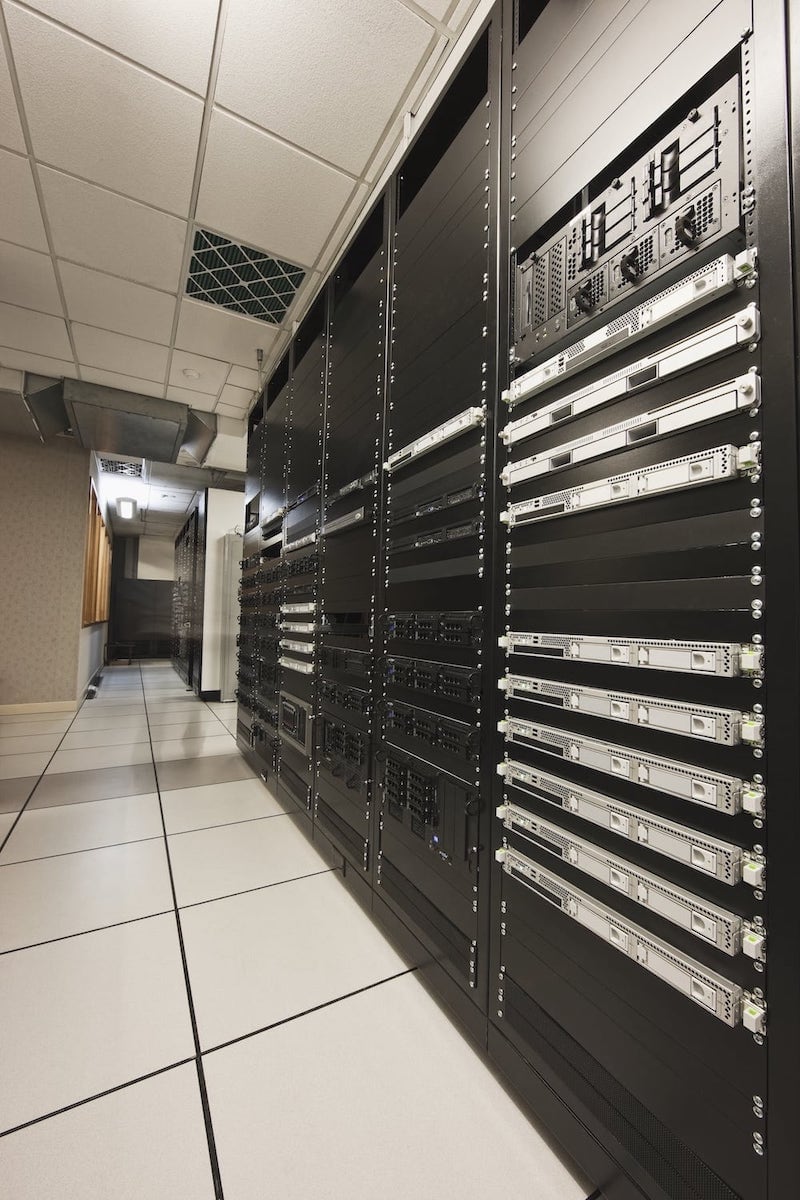
  • the physical hardware in a rack.

Context determines which.

Servers

How Servers Work (in brief)

  • Requests & protocols: Clients connect over standard protocols (HTTP/HTTPS, DNS, SMTP, IMAP, SMB/NFS, SQL drivers). The server listens on a network port, parses the request, does work, and returns a response.
  • State: Some servers are stateless (each request is independent), which simplifies scaling. Others keep state (sessions, game worlds, long-running jobs) and use databases, caches, or sticky sessions to coordinate.
  • Performance: Two staples are latency (delay per request) and throughput (requests per second). Hardware (CPU, RAM, storage IOPS), software efficiency, and network quality all matter.

Common Deployment Models

  • On-prem/colocation: Full control of hardware, network, and security boundaries. Higher upfront cost and maintenance.
  • Cloud (IaaS/PaaS): Elastic capacity and managed services (databases, queues, object storage). Faster to provision; pay-as-you-go.
  • Containers & orchestration: Package servers as containers, schedule with Kubernetes or similar for portability, rollouts, and auto-healing.
  • Serverless/functions: Event-driven code running on demand (e.g., API handlers, jobs). Great for spiky workloads and lower ops overhead.
  • Edge & CDN: Push content and compute closer to users to reduce latency (e.g., CDN caches, edge functions).

Scaling, Reliability, and Operations

  • Vertical vs horizontal scaling: Add resources to one machine vs add more machines behind a load balancer.
    Redundancy: Avoid single points of failure with multiple instances, active-active or active-passive clustering, and health checks.
  • Data durability: Backups, snapshots, and replication. Know your RPO (how much data you can lose) and RTO (how fast you must recover).
  • Observability: Collect metrics (CPU, memory, I/O, latency), logs, and traces. Alert on symptoms users feel (error rate, p95 latency), not just server vitals.
  • Capacity planning: Watch headroom trends, not just today’s numbers.

Security Basics for Servers

  • Least privilege: Minimal OS/users/roles; segment networks; restrict inbound ports.
  • Patch & harden: Keep OS and server software current; disable unused services; enforce strong ciphers/TLS.
  • Identity & secrets: Rotate keys, protect environment variables, prefer managed secret stores.
  • Access & auditing: MFA for admins, short-lived creds, centralized logs/ SIEM, regular reviews.
  • Edge defenses: Web application firewalls (WAF), DDoS protection, rate limiting.

Hardware at a Glance

  • CPU & memory drive compute and concurrency; storage (NVMe SSDs vs HDDs) governs IOPS and throughput; network interfaces affect bandwidth/latency.
  • Redundancy with RAID, dual PSUs, and multiple NICs keeps services available when parts fail.
  • Form factors: Rack servers and blades concentrate compute efficiently; small form factor boxes are common at the edge.

Server Types

  • Application Server: Runs business logic and APIs that sit between the web tier and databases.
  • Catalog Server: Indexes content (products, media, documents) to make it searchable quickly.
  • Communications Server: Handles messaging/voice/video protocols (e.g., SIP, XMPP) and presence.
  • Computing Server: General compute for batch jobs, HPC, ML training, or analytics nodes.
  • Database Server: Hosts relational or NoSQL engines; stores and serves structured data reliably.
  • Fax Server: Sends/receives faxes digitally and routes them to email or storage.
  • File Server: Centralized file storage and sharing (SMB/NFS/SFTP) with permissions and versioning.
  • Game Server: Maintains authoritative game state, physics, and matchmaking for multiplayer titles.
  • Mail Server: Sends and receives email (SMTP) and serves mailboxes (IMAP/POP).
  • Media Server: Stores and streams audio/video; often transcodes and serves via HLS/DASH.
  • Name Server: DNS—resolves names to IPs and publishes zones authoritatively.
  • Print Server: Queues print jobs, manages drivers, and controls access to printers.
  • Sound Server: Routes and mixes audio streams; in desktops (PulseAudio/PipeWire) or on networks.
  • Proxy Server: Forwards requests; forward proxies add policy/caching; reverse proxies add TLS, caching, auth.
  • Virtual Server: A virtual machine (VM) running on a hypervisor—isolated OS and resources.
  • Web Server: Serves web content over HTTP/HTTPS and can reverse-proxy to app servers.

Also common in modern stacks: directory servers (LDAP), cache servers (Redis/Memcached), time servers (NTP), CI/CD runners, and load balancers (often specialized reverse proxies).

When does someone need “a server”?

  • Hosting a website or API for others to reach.
  • Centralizing files, identity, or email for an organization.
  • Running databases, jobs, or analytics that multiple users or apps rely on.
  • Coordinating real-time experiences (chat, games, live dashboards).

Important Distinctions

  • Server vs service: A server is software/hardware; a service is the capability exposed (often managed for you).
  • Stateful vs stateless: Stateful keeps session/working data on the server; stateless doesn’t—easier to scale.
  • Monolith vs microservices: One deployable app vs many small services; each has trade-offs in speed, ops, and complexity.